Who Owns Your Chats? Why On-Device AI Is the Future of Private Conversation
Most AI chatbots quietly train on your conversations by default. Learn what that means, why deleting chats isn’t the end of the story, and how on-device AI apps like Vector Space let you keep powerful AI on your iPhone without giving up your privacy.
You open your favorite AI chatbot, type something deeply personal, and hit send.
It feels like a private moment — just you and a little text box.
But for many consumer AI tools, “private” quietly means something very different:
your chats may be logged, stored for years, and used to train future models by default, unless you find the right toggle and opt out. (WIRED)
At the same time, a new wave of on-device AI is emerging — models that run directly on your phone, where your data never leaves your device by design. (European Data Protection Supervisor)
This isn’t just a technical shift. It’s a shift in power.
In this post we’ll explore:
- How “training on your chats” really works
- Why deleting a conversation doesn’t necessarily mean it’s gone from the model
- How enterprise “no-training” modes differ from consumer chatbots
- What a truly privacy-respecting consent screen would look like
- And how on-device AI — including an iPhone app called Vector Space — lets you keep powerful AI withoutsurrendering your chat history to the cloud
Note: This article is information, not legal advice. Always read the latest terms and privacy policies for the tools you use.
The Fine Print: When “Private Chat” Still Trains the Model
Let’s start with the uncomfortable bit.
Several major chatbot providers now train their models on consumer chats by default, unless you explicitly disable it. Recent changes by Anthropic, for example, mean that consumer Claude users are asked to choose between:
- Allowing chats and code to be used to train models, with data stored for up to five years, or
- Opting out, in which case data is retained for a shorter period (around 30 days) and not used for training. (Anthropic)
Business Insider, Wired and others highlighted how this shift moved Claude from “no training on chats” to “training by default unless you opt out,” aligning it more closely with other mainstream chatbots. (Business Insider Africa)
At the same time, legal and privacy researchers have been warning that:
- Chat logs may be subpoenaed in lawsuits or investigations.
- AI chats don’t enjoy the same protections as a conversation with your doctor or lawyer. (Business Insider)
- Even if a company promises “we don’t sell your data,” your words can still shape the model that answers millions of other users.
So when you pour your heart into the chat box, you’re not just talking to “your” AI — you’re also feeding a giant statistical machine that may remember patterns from what you said.
Meanwhile: A Different Story From On-Device AI
Not everyone plays the “train on chats” game the same way.
Apple, for example, emphasizes that the foundation models powering Apple Intelligence are trained on licensed, public, and synthetic data — not on users’ private personal data or interactions. (Apple Support)
And both Apple and Google are investing heavily in on-device AI and “private compute” architectures, where data is processed locally and sensitive content never leaves your device in raw form. (Apple Machine Learning Research)
In other words, some companies are trying to compete on privacy by design, not just model size.
A Quick Visual: Cloud vs On-Device AI
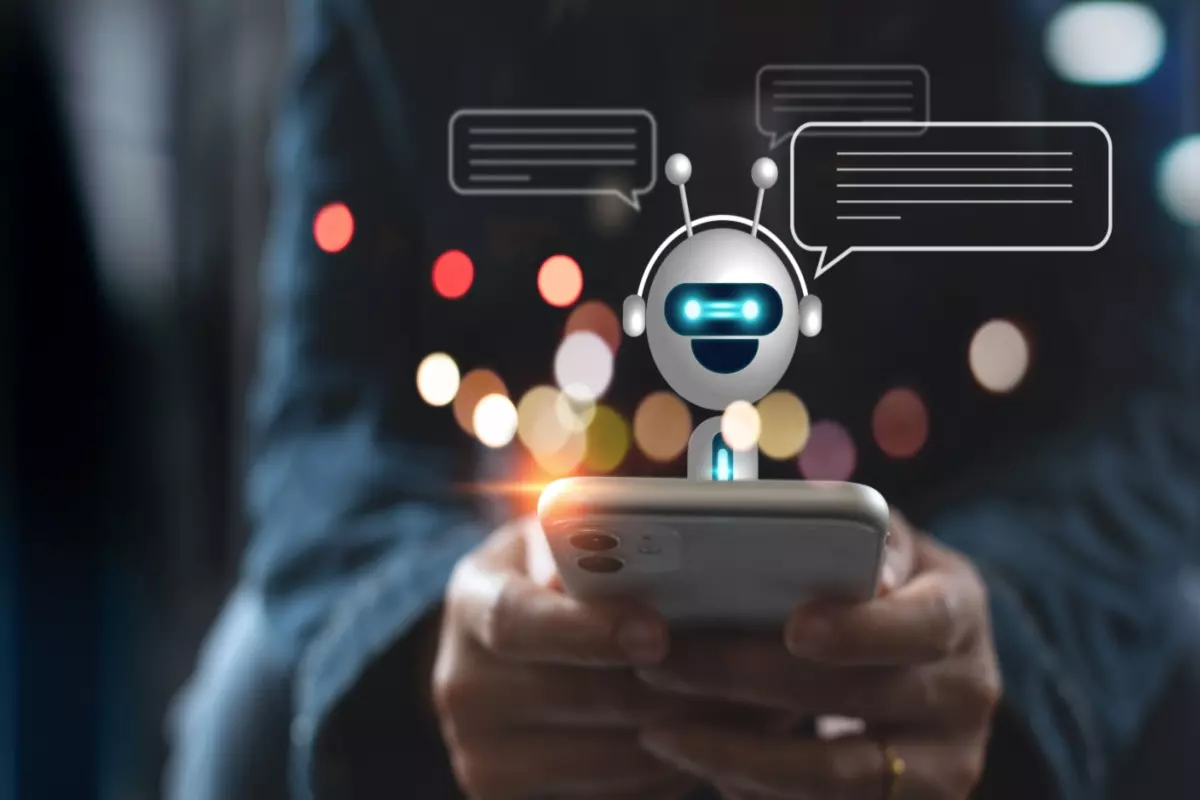
Illustration from Plat.AI about how chatbots work. (Plat.AI)
Cloud AI:
- Your text → sent to remote servers
- Stored in logs (sometimes for years)
- Often used for training/improvement by default
- Requires a stable internet connection
On-device AI:
- Your text → processed on your phone’s processor / NPU
- Never needs to leave the device for inference (European Data Protection Supervisor)
- Training on your chats isn’t even possible unless you explicitly upload them somewhere
- Can work fully offline
Think of cloud AI as talking in a crowded conference room with a microphone on.
On-device AI is whispering to yourself in your own living room.
“Who Owns Your Chats?” (And Why That Question Hurts)
Most of us grew up with the intuitive idea that if we wrote it, we own it.
Modern AI complicates that.
When you send a prompt to a cloud chatbot, several things can happen:
- It’s stored in logs for debugging, security, or abuse monitoring.
- It may be used as training data, shaping how the next version of the model responds to similar questions.
- Parts of it could appear in future outputs — not as a direct quote, but as a statistical echo.
Some providers promise that your inputs and outputs are yours, at least in their enterprise offerings. OpenAI, for example, states that business customers own their inputs/outputs and that their models are not trained on this data by default. (OpenAI)
But in the consumer space, the story is often murkier. Privacy researchers have repeatedly flagged:
- Vague explanations of how training data is selected
- Confusing toggles and buried settings
- Long data-retention periods that most users never notice (Mozilla Foundation)
So who owns your chats?
Legally, you may still own the copyright to your words. But practically, once they’re sent to a cloud AI, you’re sharing them with:
- The company running the model
- Future versions of that model
- And potentially, anyone who later receives outputs influenced by your data
That’s a very strange kind of ownership.
“I Deleted My Chat — Is It Still in the Training Data?”
Short answer: quite possibly, yes.
Here’s why.
Training an AI model doesn’t store your conversation as a neat file that can be pulled back out and erased. Instead, your data nudges millions or billions of parameters a tiny bit in different directions. Once that’s happened, reversing all those tiny nudges is hard.
Researchers call this problem machine unlearning — the challenge of removing the influence of specific data from a trained model, not just from the database. (arXiv)
Key points:
- Deleting a chat from your UI usually means
“don’t show this to me or use it anymore,”
not “rewind the model’s history and untrain it.” - Some providers now say that deleted chats won’t be used in future model training runs, but that doesn’t undo any training that’s already happened. (Anthropic)
- New algorithms for machine unlearning are being developed, but they’re complex, computationally expensive, and not widely deployed in consumer products yet. (Stanford AI Lab)
So if you accidentally paste a confidential strategy doc, patient record, or deeply personal story into a cloud chatbot, deleting the message afterward doesn’t guarantee it never influenced the model.
That’s one of the big reasons privacy advocates are so excited about on-device AI: if your data never leaves your phone in the first place, you don’t need to un-train anything.
How Enterprise “No-Training” Modes Work (vs Normal Consumer Chatbots)
If you’ve ever seen marketing like:
“We don’t train on your business data.”
…that’s usually referring to enterprise or API usage, not the free consumer chatbot you casually open in a browser tab.
Enterprise / API Mode
For many vendors, the enterprise pattern looks roughly like this:
- Prompts and responses are not used for training by default. (OpenAI)
- Logs may still be stored for abuse monitoring, billing, or security — but are kept separate from training datasets.
- Data is often encrypted, with stricter retention policies and data-residency options. (OpenAI)
- Providers explicitly say commercial products like enterprise chat or APIs are excluded from training, e.g. Anthropic’s Claude for Work and Anthropic API. (privacy.claude.com)
- Microsoft’s Copilot with enterprise data protection goes as far as saying prompts and responses aren’t saved, Microsoft has “no eyes-on” access, and the data isn’t used to train the underlying LLM. (Microsoft)
In other words: enterprise customers are paying partly for the right not to be training data.
Consumer Chatbots
Meanwhile, the default for consumer chatbots often looks like:
- Training on chats is on by default, with an opt-out buried in settings or a pop-up that many users click through quickly. (WIRED)
- Data retention periods can be years, not days. (Anthropic)
- Settings are confusing, and many people don’t understand the difference between “accountless,” “no history,” “no training,” and “delete.” (Mozilla Foundation)
So there’s a kind of privacy divide:
- If you’re a big company, you get inference-only modes and contractual promises.
- If you’re an ordinary person… you’re often the training set.
On-device AI narrows that gap by giving individuals enterprise-grade privacy by default.
What Would a Truly Privacy-Respecting AI Consent Screen Look Like?
Imagine installing a new AI app and seeing this:
We’d like to use your chats to improve our models.✅ Your chats will be used to train our models and may influence responses to other users in the future.🕒 We will keep your chat logs for X years.🧹 If you delete a chat, we will:stop using it for any future training runs, butcannot fully remove its influence from models we’ve already trained.🧠 Your data is processed on our cloud servers, which are located in [regions].🔐 Your chats are not protected by legal privilege (like conversations with a lawyer or doctor). They may be accessible in some legal or regulatory processes.
Do you want to help train our models with your chats?[No, keep my data for service delivery only][Yes, use my chats to train your models]
That’s the kind of clarity data-protection regulators and privacy advocates are pushing toward.
A real consent screen should be:
- Plain-language — no euphemisms like “improve product experiences” instead of “train our AI.”
- Specific — how long, where, and for what exact purposes.
- Reversible — you can change your mind before your data is used in training.
- Honest about limits — especially around the difficulty of true unlearning.
Until we get there, the safest move with sensitive content is simple:
Don’t put anything into a cloud chatbot that you wouldn’t be comfortable seeing on the front page of the internet.
…or, better yet, run the AI locally, so it never leaves your device at all.
On-Device AI: Privacy by Architecture, Not Just Policy
Why are so many researchers, regulators and developers excited about on-device AI?
Because it flips the default.
Instead of:
“We promise to handle your data responsibly after you send it to us.”
You get:
“We don’t need to see your data in the first place.”
Studies and technical overviews of local and on-device AI highlight several benefits: (European Data Protection Supervisor)
- Data stays on your device
- No raw prompts sent to remote servers
- Great for sensitive work (legal, medical, finance, internal documents)
- Faster, more responsive experiences
- No network hops, no server queues
- Ideal for quick brainstorming, writing, coding, translation
- Offline capability
- AI still works on a plane, in the subway, or with spotty reception
- Stronger user trust
- People fundamentally feel safer when they know their data doesn’t leave the device
- Better for sustainability (in many cases)
- Less constant back-and-forth with huge data centers
From a technical perspective, your conversations get turned into vectors — high-dimensional points in a “vector space” that represents meaning. In cloud AI, those vectors live on someone else’s server. With on-device AI, that semantic space of your thoughts lives with you, inside your own hardware.
That raises a radical possibility:
What if the primary vector space of your life — your ideas, reflections, notes, and drafts — never had to leave your phone?
Watch & Learn: On-Device AI in Action
If you like learning by watching, these short videos are a great starting point:
- 🎥 On-Device AI: Protecting Your Privacy, Explained Simply! (YouTube Short) (YouTube)
- 🎥 Offline AI on iOS and Android – A demo of a PyTorch model compiled to run locally on phones, keeping chats private and compliant. (YouTube)
- 🎥 Offline AI Chatbot in Your Pocket? – Walkthrough of running a lightweight offline AI chat on mobile. (YouTube)
They all show the same core idea: you don’t have to ship your life story to distant servers to get great AI.
From Principles to Practice: Meet Vector Space on iPhone
All of this raises a practical question:
Okay, I care about privacy. I like on-device AI. What do I actually use on my phone?
This is exactly where Vector Space comes in.
Your AI, On Your iPhone — Not in Someone Else’s Data Center
Vector Space is an AI chat app for iPhone built around a simple promise:
Chat with FREE, FAST and POWERFUL AI that runs locally on your iPhone.
Instead of sending everything you type to a remote server, Vector Space runs an advanced local AI engine directly on your device. That means:
- No cloud, no lag – Responses feel instant because they’re computed on your phone’s own neural engine.
- No background training on your chats – Local models can’t silently feed a giant centralized training pipeline, because your words never leave your device unless you choose.
- Works offline – Subway tunnels, flights, road trips… your AI is still there.
Whether you’re:
- Drafting an email or blog post
- Brainstorming ideas and outlines
- Translating and polishing text
- Sketching code or debugging snippets
…everything can happen right on your iPhone, inside your own vector space of ideas.
When You Do Want the Cloud: Seamless ChatGPT API Mode
Of course, sometimes you want the full power and freshness of big cloud models — up-to-the-minute knowledge, huge context windows, specialized abilities.
Vector Space makes that a conscious choice rather than a silent default:
- With one tap, you can switch into ChatGPT API mode.
- Your chats then go through OpenAI’s API, giving you access to the world’s most capable models and up-to-date answers.
- When you’re done, you can switch right back to local mode, keeping day-to-day conversations on your device.
That mode switch puts you in control of where your data flows.
Why Vector Space Feels Different
Here’s what makes Vector Space such a natural fit for privacy-conscious users:
- 🧠 Runs Locally – Lightning-fast, on-device AI without server delay.
- 🌐 Optional ChatGPT API – Tap into powerful cloud models only when you choose.
- 🎨 Beautiful Modern Design – Clean, minimal interface meant for focus and deep thinking.
- ⚡ Instant Responses – No spinning wheels; answers show up as quickly as your phone can compute them.
- 🛡️ Completely Private in Local Mode – Your data stays on your iPhone. Nothing leaves your phone unless you explicitly opt into cloud mode.
- 🔁 Seamless Mode Switching – Toggle between local and ChatGPT in a single tap, depending on what you’re doing.
In a world where most tools quietly assume your chats are fair game for training, Vector Space leans into a more human stance:
Because it’s your AI — fast, powerful, private, and beautifully crafted.
The Future of AI Is Personal, Not Just Powerful
We’re entering an era where everyday life is mediated by AI:
- Summarizing our inbox
- Helping us think through relationships and career choices
- Drafting contracts, legal arguments, therapy prompts, marketing copy, and code
That’s not just “productivity.” It’s deeply intimate.
So the core question isn’t just “How smart is this model?”
It’s:
“Where does my data go, and who does it ultimately serve?”
Cloud AI isn’t going away — and it shouldn’t. For heavy lifting and global knowledge, it’s incredible. But for your daily thinking space, notes, drafts, and inner monologue, there’s something profoundly right about AI that lives with you, not about you.
On-device AI, and apps like Vector Space, show what that future can look like:
- FAST.
- PRIVATE.
- BEAUTIFUL.
- LOCAL.
If you want to experience that kind of relationship with AI on your iPhone —
where you own your chats not just legally, but architecturally — you can download Vector Space here:
👉 Download Vector Space for iPhone
Try talking to an AI that lives in your vector space, not in someone else’s data warehouse — and feel the difference.